Spotting Phishing Emails
Common Signs of a Phishing Attempt
Urgent or Threatening Language
Phishing emails often create a sense of urgency or fear.
Suspicious Links
Hover over links to check if the URL matches the sender.
Unfamiliar Sender
Emails from unknown addresses may be malicious.
Poor Grammar & Spelling
Legit organizations rarely send poorly written emails.
🎮 Phishing or Legit?
Test your knowledge with interactive scenarios. Decide if a message is real or a phishing attempt.
Can You Spot the Difference?
Legitimate Email
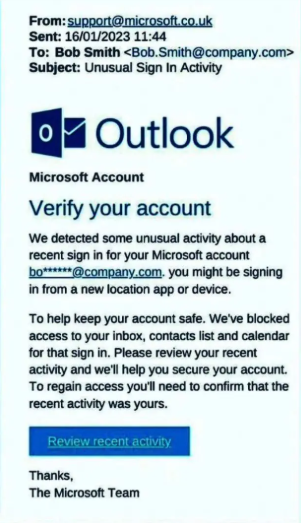
This example shows a real notification from a trusted company.
Phishing Email
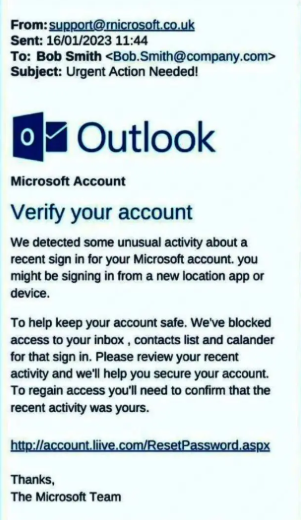
Notice the misspelled URL and urgent wording.
Phishing Techniques in Action
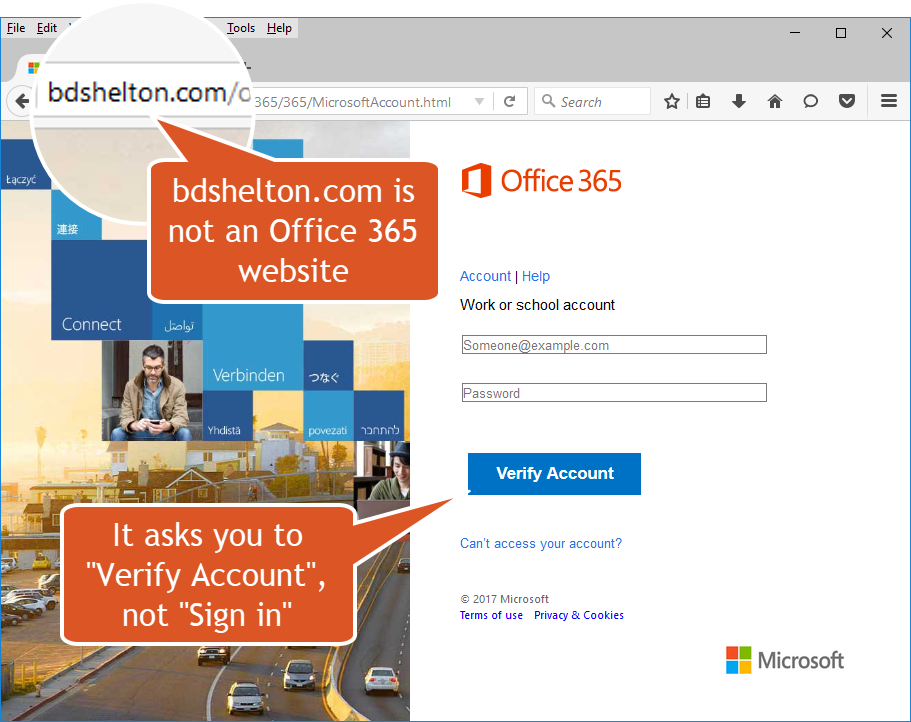
Attackers mimic login portals to steal credentials.
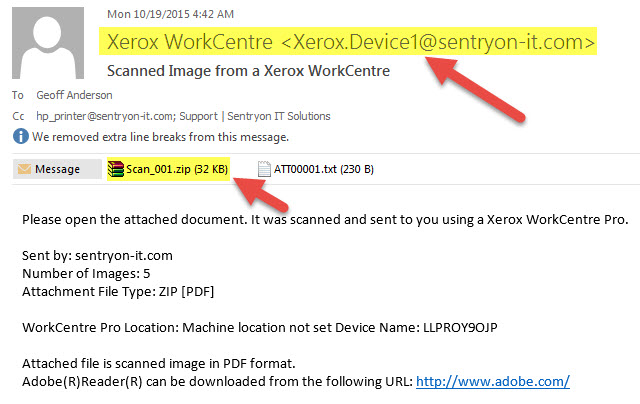
Attachments from unknown senders can contain malware.
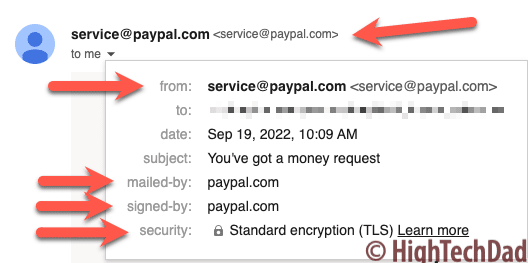
The email looks like it’s from PayPal, but the address is fake.